
Introduction
FlexyB Solutions digital gift cards can be purchased online or at a FlexyB interactive kiosk. After purchase, the cardholder receives a secure link via SMS or email that allows them to claim their cards and associate them to their FlexyB account. Once the cards are claimed and linked to the account, they can then be sent to someone else securely.
Access your account
Log in to the FlexyB application using a computer or mobile device: https://app.flexybsolutions.com/
Once logged into your account, you will find the gift cards you purchased.
Important: Only Unactivated Cards can be transferred.
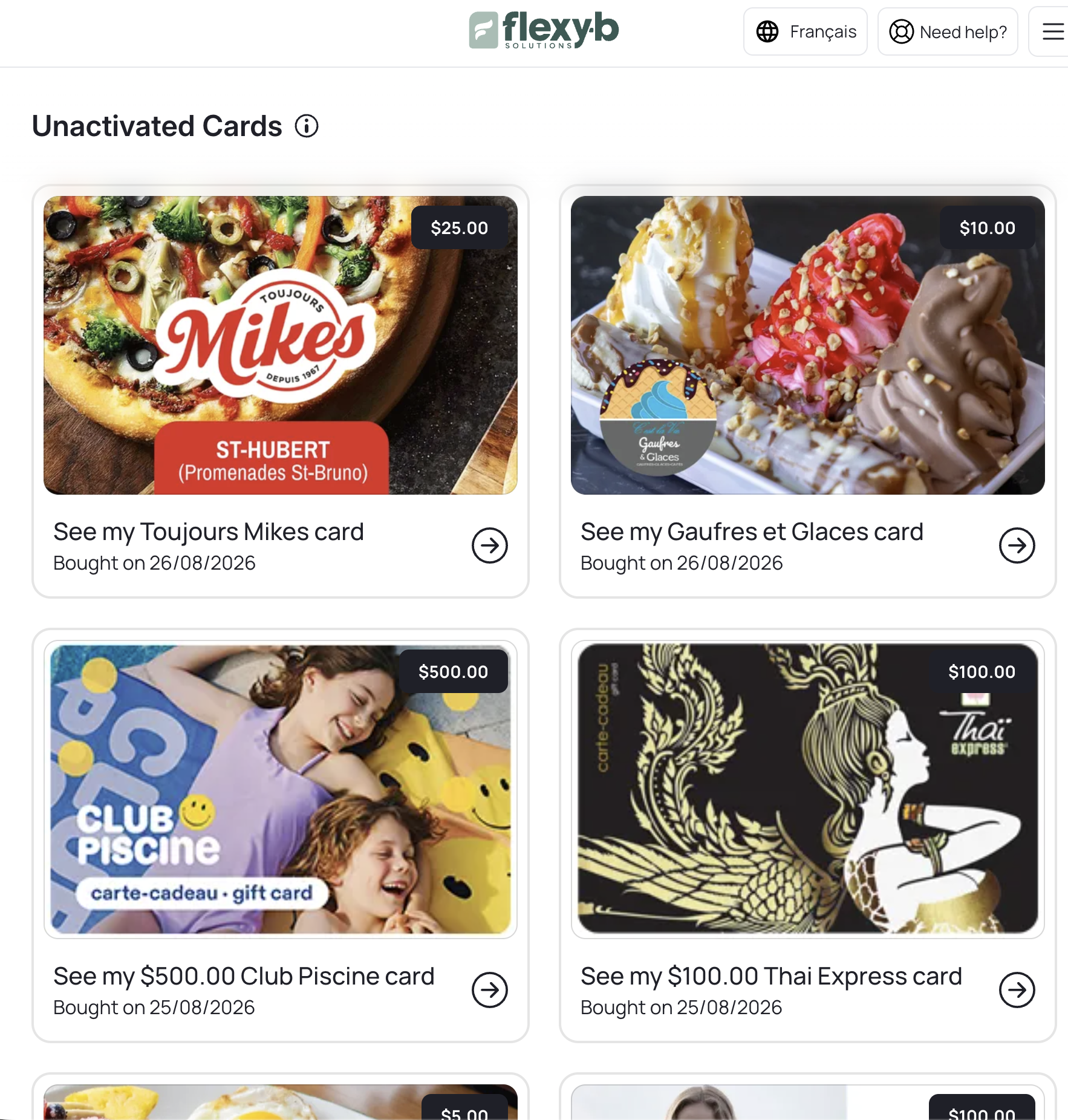
Then, select the card you would like to send to someone.
Note: Once the card is activated, you will not be able to transfer the card to someone else or have it refunded
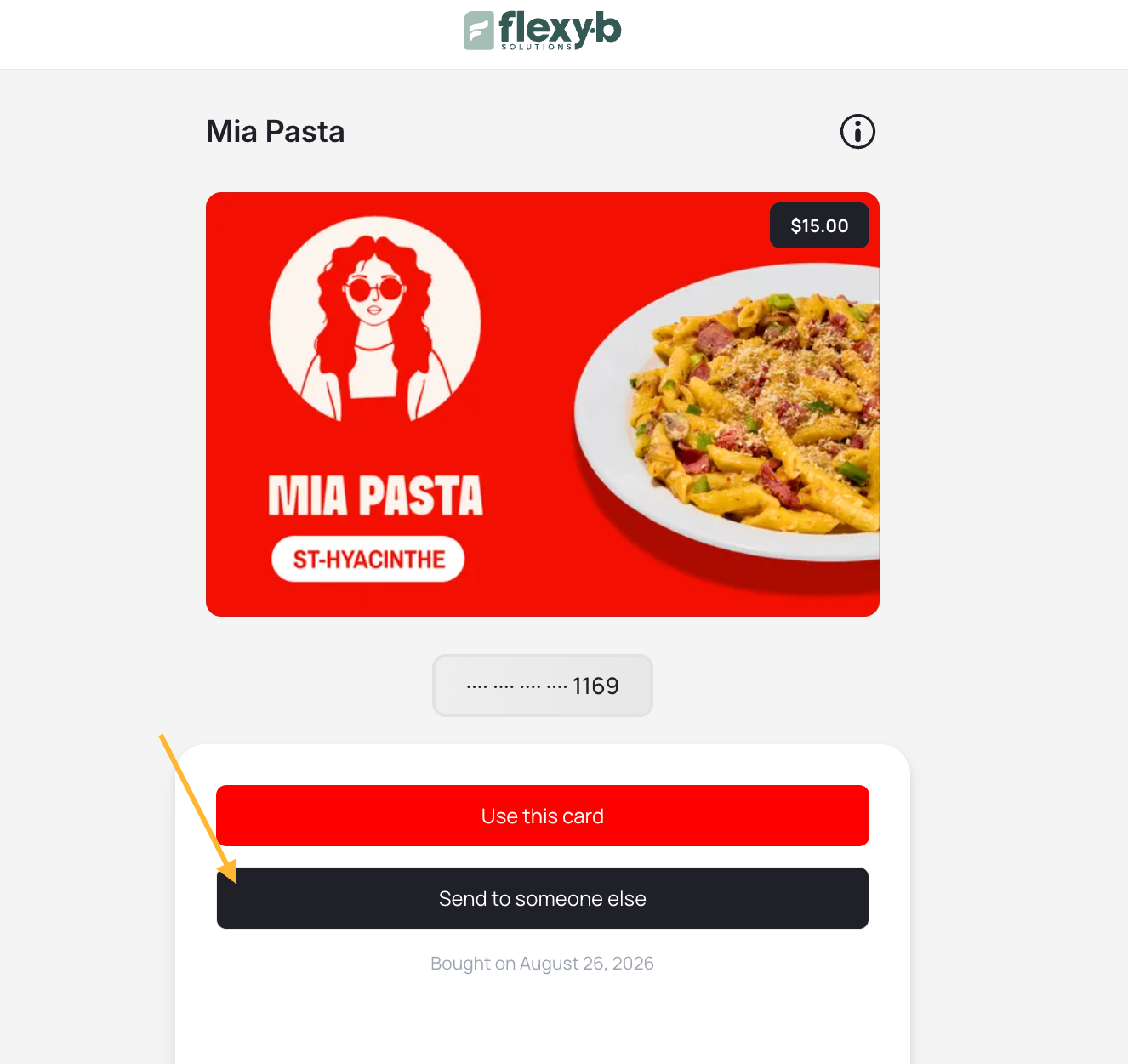
Sending a Digital Gift Card to Someone
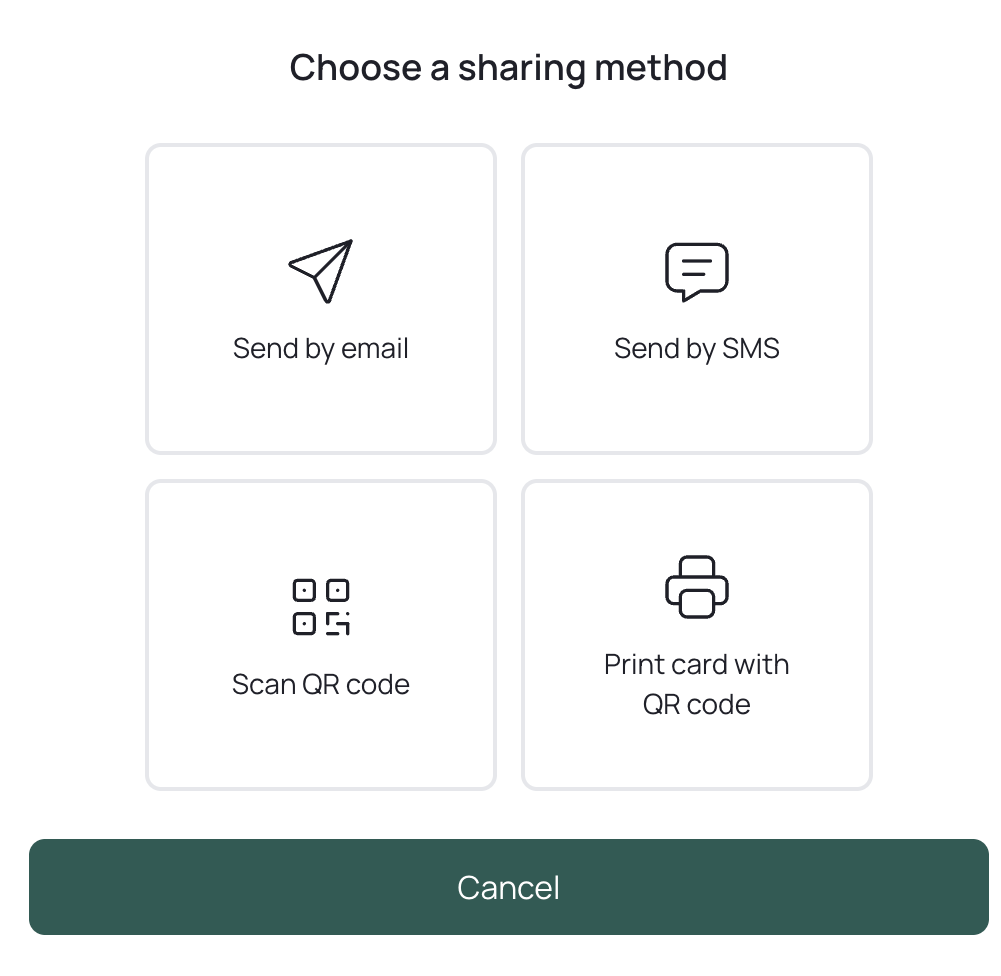
To send a gift card, you can choose from four options:
by email,
by SMS,
by QR code,
by printing a card with the QR code
This transfer is secure, quick and customizable
Send by Email
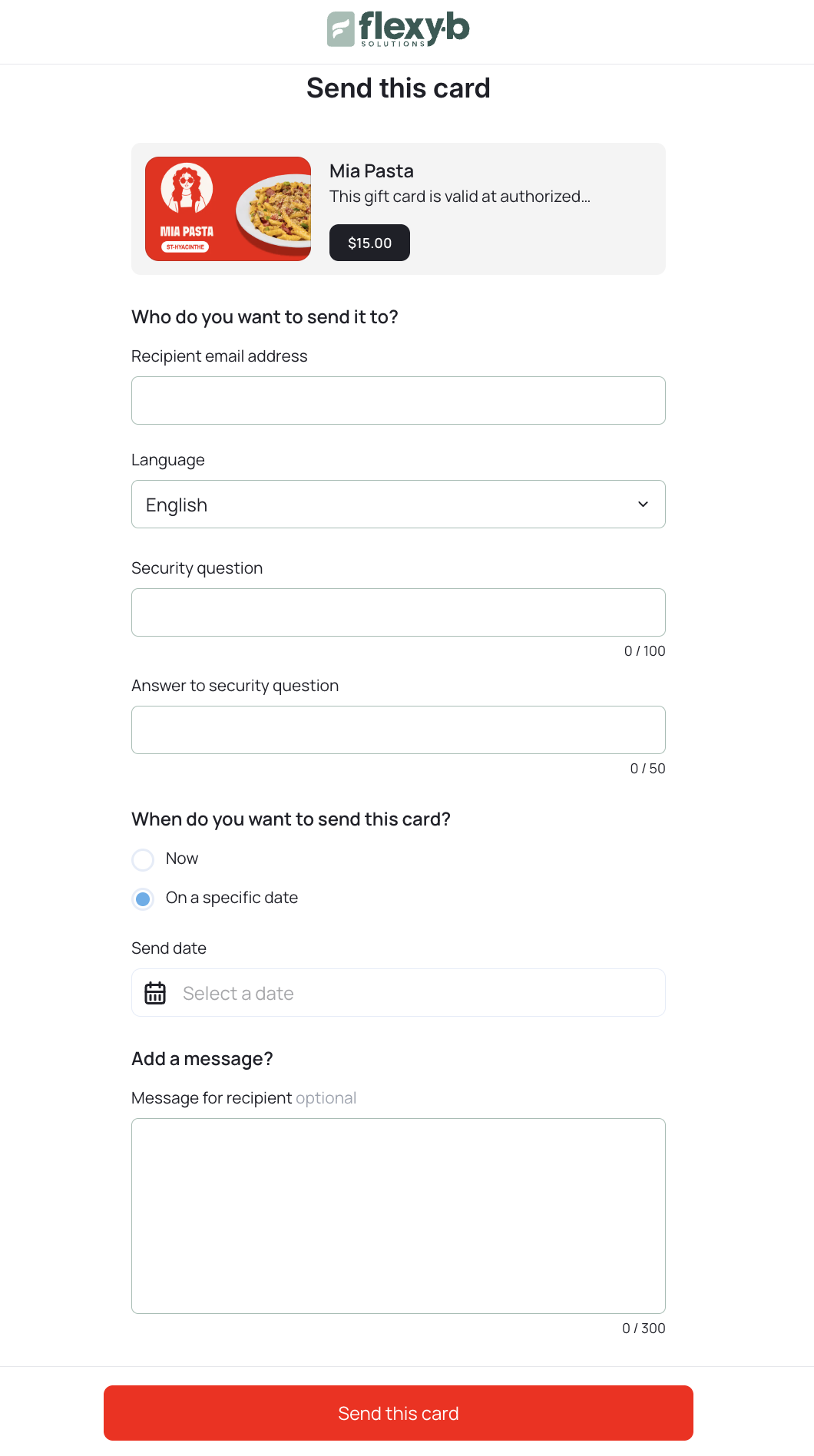
Enter the recipient's email address.
Select the delivery language (English or French).
Set a security question and answer — the recipient must answer correctly to claim the card.
-
Choose the delivery time:
Immediate, or
Scheduled for a future date and time.
Add a personal message (optional).
Tap "Send this card".
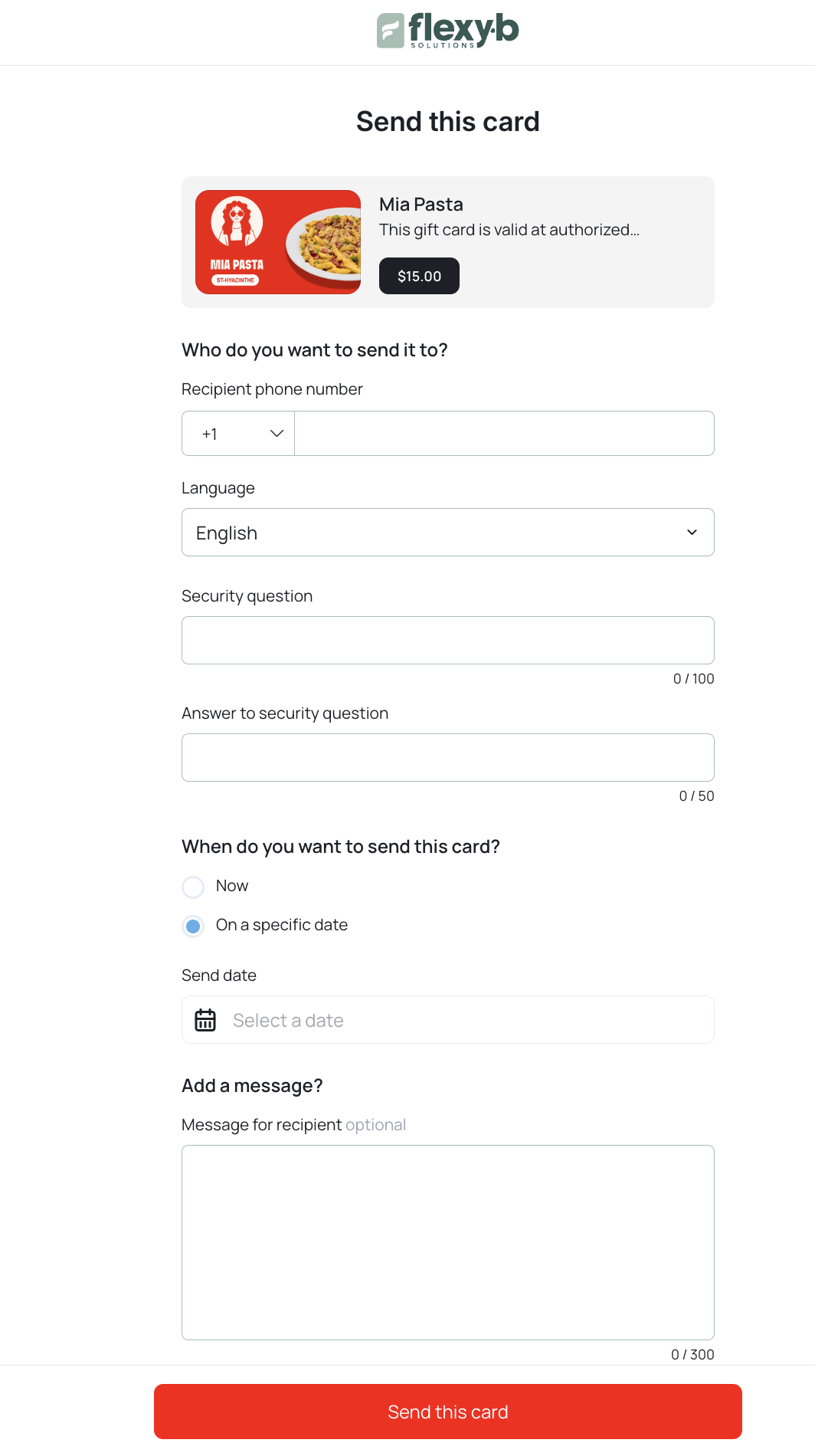
Send by SMS
Enter the recipient's mobile phone number.
Select the delivery language.
Set a security question and answer.
Choose Immediate or Scheduled delivery.
Add a personal message if desired.
Tap "Send this card".
Send Using a QR Code
The "Scan QR Code" option allows you to transfer a gift card in person securely and instantly.
How It Works
Select "Scan QR Code" to generate a unique QR code linked to the gift card.
The QR code will display on your mobile device.
The recipient scans the code with their device to claim the card in their FlexyB account.
A gift card transferred by QR code cannot be refunded. For security reasons, this transfer method is recommended for in-person use only.
Security and Privacy
Each link and QR code is unique, encrypted, and temporary.
Once claimed, the card is permanently linked to the recipient's FlexyB account.
All transfers are logged to ensure full traceability and security.
Comments (0 comments)